

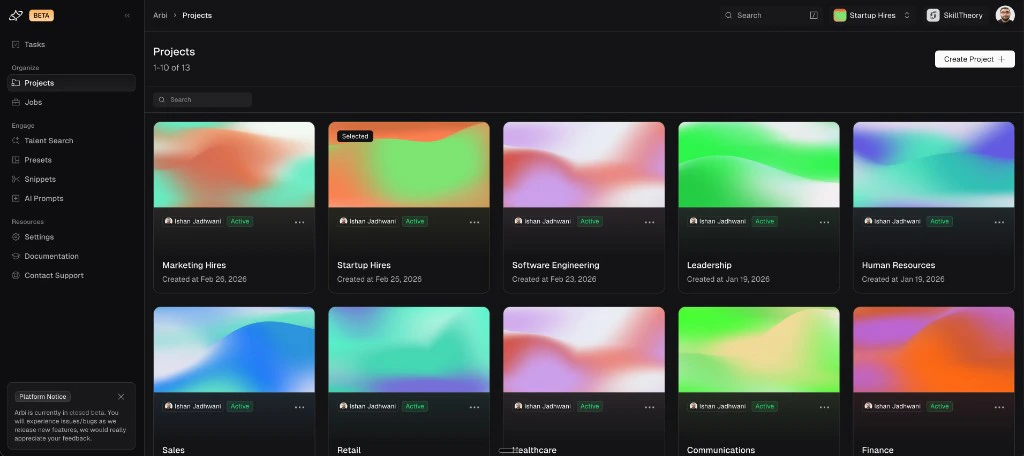
The Projects page showing all projects with their cover images, owners, and creation dates.
Creating a project
To create a project, click Create Project from the Projects page. Fill in:- Project Title - a name for the project (e.g. “Software Engineering”, “Marketing Hires”, or a client name).
- Project Description - an optional description for context.
- Collaborators - by default, you are the sole collaborator. Add other users or teams from your organization who should have access to this project’s jobs and searches.
- Project Cover - pick one of the generated covers or click Upload Your Own to use a custom image. The generated covers work well and keep your project list visually consistent.
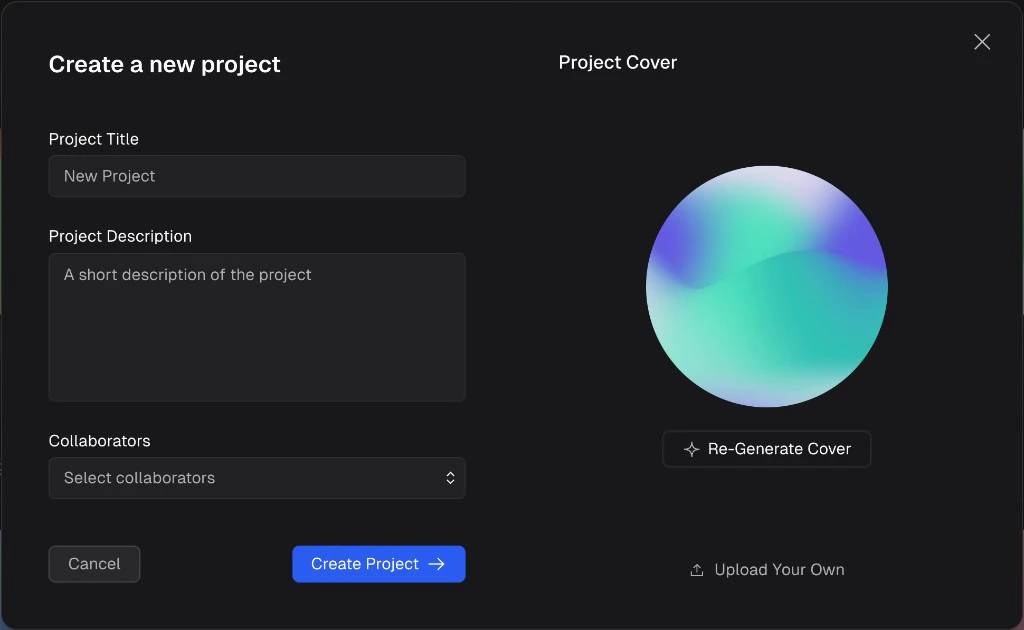
The Create a new project dialog with fields for title, description, collaborators, and a generated project cover.
Selecting an active project
You must have an active project selected to work in Arbi. The active project determines which jobs, searches, and sequences you see throughout the platform. There are two ways to switch your active project:- From the Projects page - the currently selected project shows a green Selected badge in the top-left corner of its card. Click any other project card to make it active.
- From the top nav bar - click the project name dropdown next to your company name in the top-right corner. You will see a list of all your projects with a star next to the currently active one. Select a different project to switch.
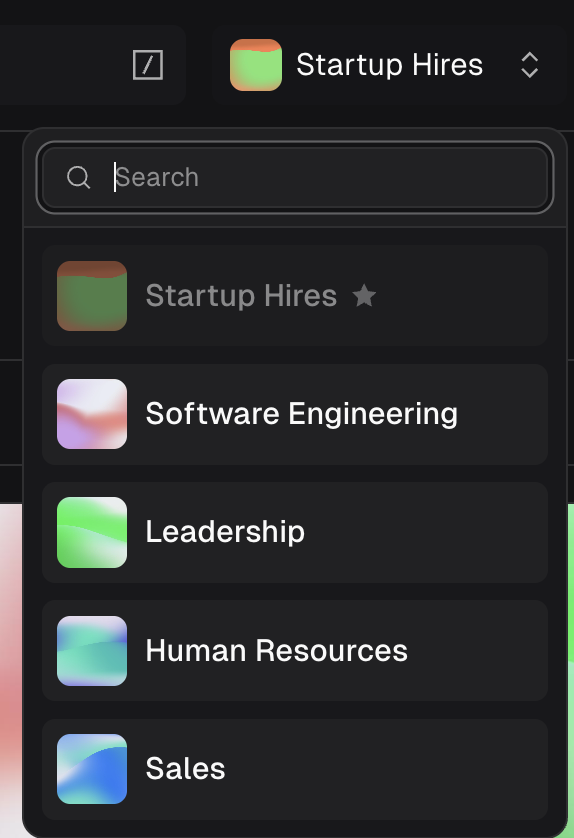
The project switcher dropdown in the top nav bar showing all available projects with a star on the active one.
What lives inside a project
The following are scoped to the active project:- Jobs - all job requisitions created within the project.
- Talent searches - search results and history for this project.
- Sequences - outreach sequences created for jobs in this project.
- Arbitrator sessions - any Arbitrator runs within this project’s jobs.
- Sourcing agents - agents configured for jobs in this project.
- Sourced candidates - talent sourced and saved to jobs in this project.
- Presets - saved search presets are shared across projects.
- Snippets - reusable message snippets are available globally.
- AI Prompts - prompt templates are not project-specific.
- Tasks - your task queue shows tasks from all projects.
Managing a project
Click into any project from the Projects page to open the Manage Project view. From here you can:- Edit Details - update the project title, description, or cover image.
- Teams - associate teams with this project. When a user is added to or removed from a team, their access to the project updates automatically.
- Users - view and manage individual collaborators. Add new users with the add user button or remove existing ones.
- Delete - click the red trash icon on the cover to delete the project.
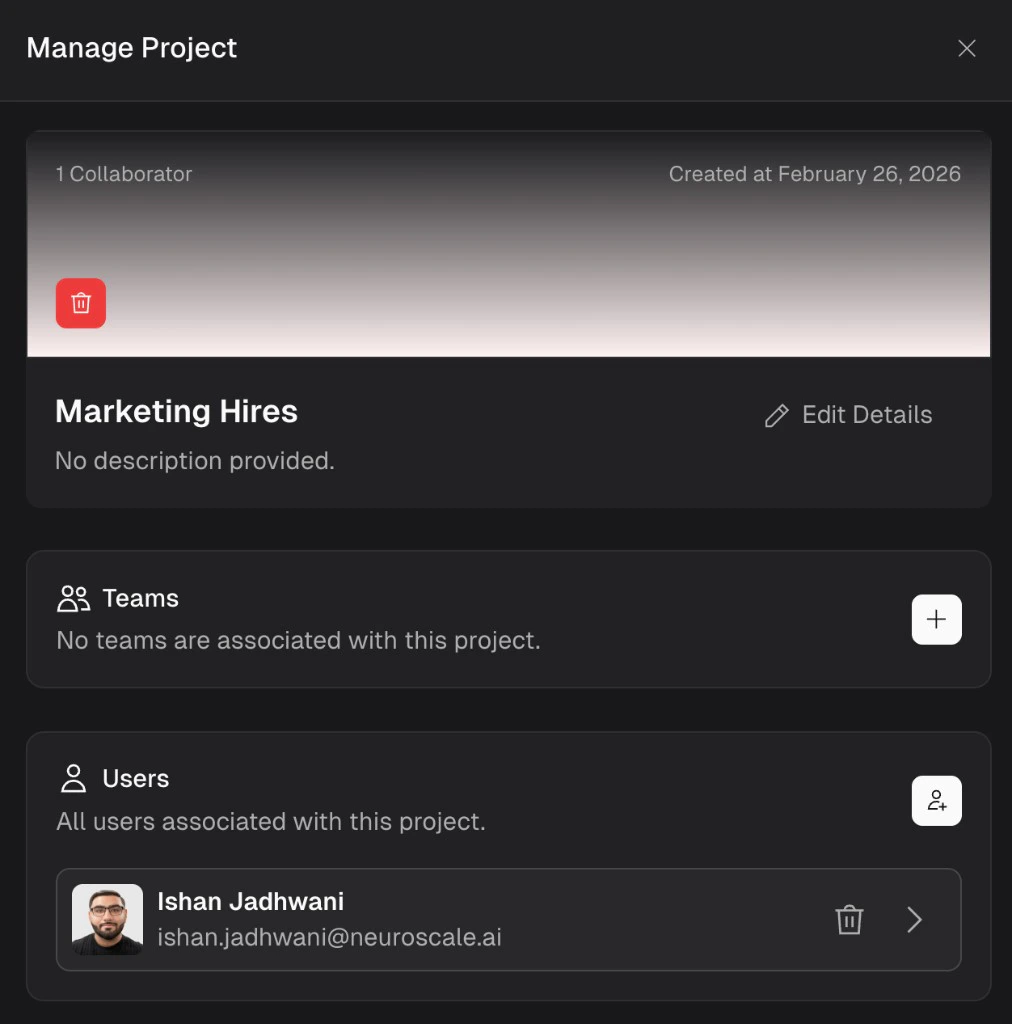
The Manage Project view showing the project cover, details, associated teams, and individual user collaborators.
Permissions and collaboration
Permissions are enforced at the project level. Only users who are set as collaborators (either individually or through a team) can view and interact with the jobs, searches, and sequences inside that project.- Individual collaborators - add specific users from your organization to a project.
- Team-based access - create teams in Arbi (see Users and teams) and assign them to projects. This is the most efficient approach when team membership changes frequently. When a user is removed from a team that is associated with a project, their access is automatically revoked.
Frequently asked questions
Do I need to select a project before I can work in Arbi?
Do I need to select a project before I can work in Arbi?
Yes. You must have an active project selected. All jobs, searches, and sequences are scoped to the active project.
Can I move a job from one project to another?
Can I move a job from one project to another?
Jobs are created within a specific project and cannot be moved between projects. If you need a job in a different project, create a new job in the target project.
What happens if I delete a project?
What happens if I delete a project?
Deleting a project removes all jobs, searches, sequences, and sourced candidates within it. This action cannot be undone.
Can a user belong to multiple projects?
Can a user belong to multiple projects?
Yes. A user can be a collaborator on as many projects as needed. They switch between projects using the project switcher in the top nav bar.