

What are Arbi credits?
Credits are the currency that powers key actions across the Arbi platform. They give you access to candidate emails, phone numbers, AI-powered signals, and branded profile exports, helping you reach the right talent with personalized precision. Every Arbi plan includes a monthly credit allocation shared across your team. Credits are consumed when you perform specific actions like revealing contact information, running signal enrichment, or exporting candidate profiles. Once a credit is spent on a candidate, that data stays unlocked for your entire organization permanently.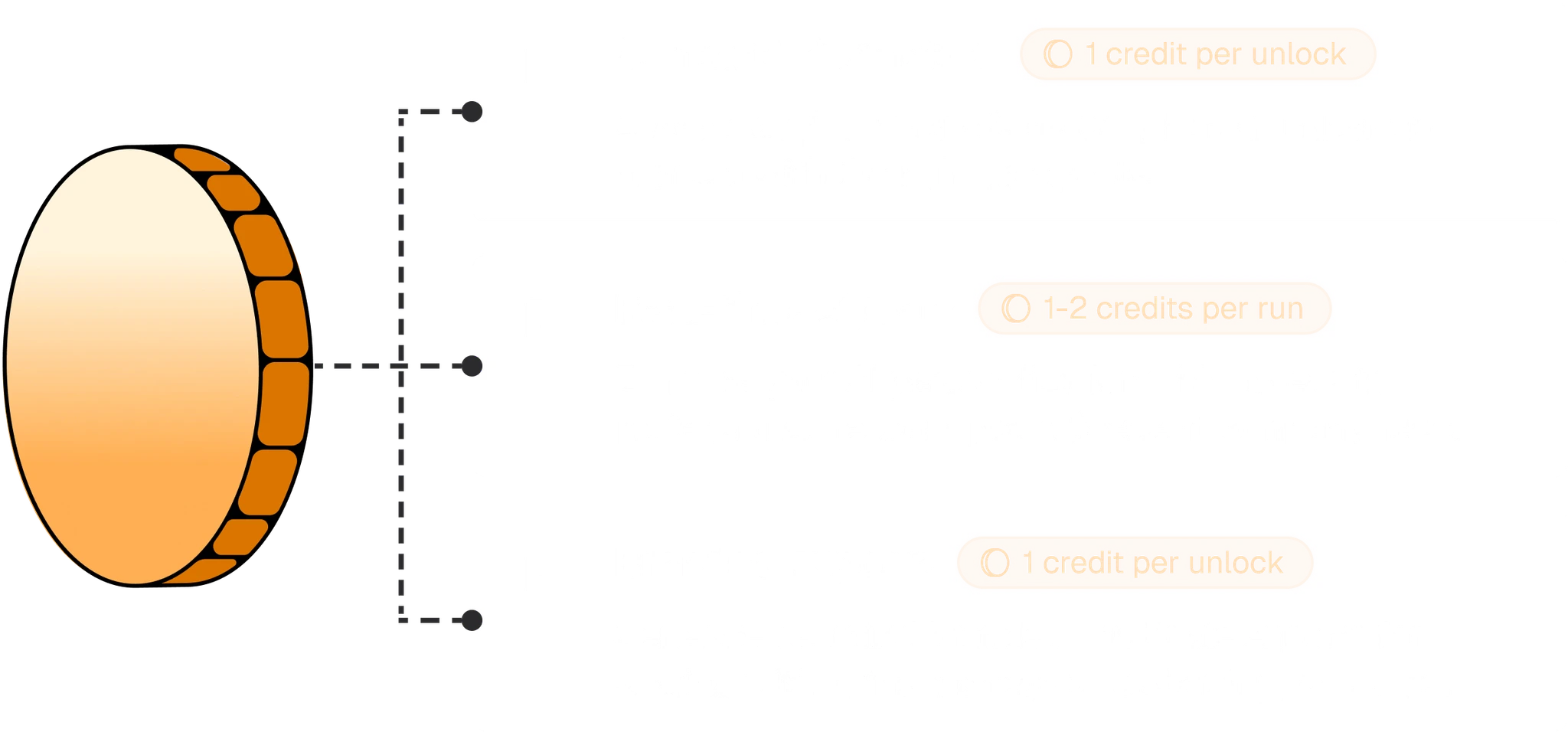
Credits power contact reveals, signal enrichment, and profile exports across the platform.
What credits can be spent on
Credit allocations by plan
Every plan includes a monthly credit pool shared across all seats in your organization. Annual plans receive the full year’s allocation. For monthly billing, divide the annual totals below by 12.How to use credits
Credits are consumed automatically when you take an action that requires them. You do not need to manually assign or allocate credits.- Reveal contact data - open any candidate profile and click Reveal Contact Details. All available emails and phone numbers are unlocked for 1 credit. Learn more in Contact data.
- Run signal enrichment - use AI-powered signals to generate personalized outreach context for a candidate. Each signal run costs 1-2 credits depending on depth. Learn more in AI prompts.
- Export branded profiles - export a candidate’s profile with your company branding applied. Each export costs 1 credit. Learn more in Branded exports.
How to manage credits
Credit management lives in Settings > Billing. From there you can see your current plan, total credit usage, and a breakdown by category.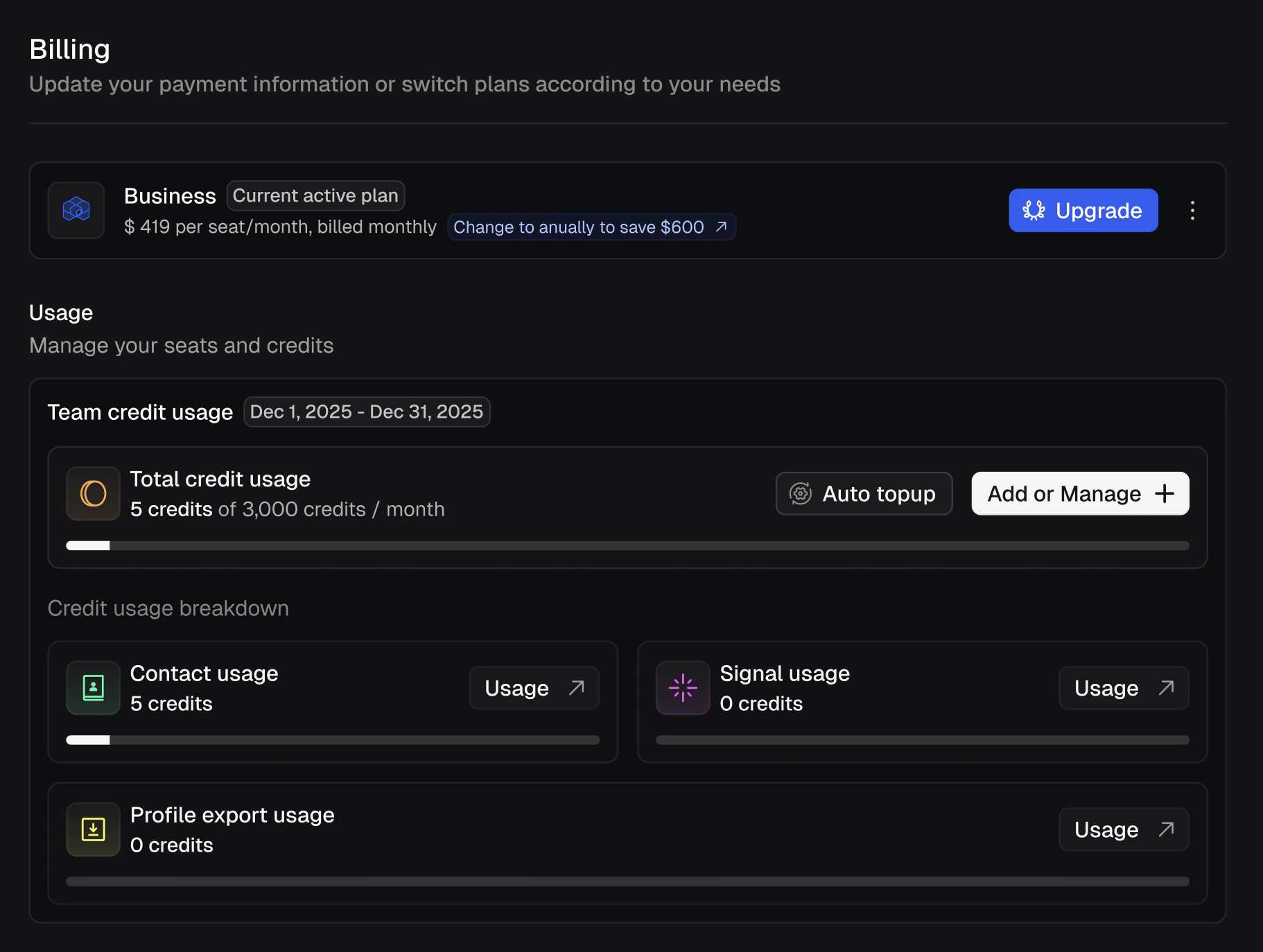
The Billing page showing your current plan, total credit usage, and breakdown by Contact, Signal, and Profile Export usage.
Viewing usage details
The billing page shows your Team credit usage for the current billing period with a progress bar and count (e.g. “5 credits of 3,000 credits / month”). Below that, the Credit usage breakdown splits usage into three categories:- Contact usage - credits spent on contact data reveals.
- Signal usage - credits spent on AI signal enrichment.
- Profile export usage - credits spent on branded candidate exports.
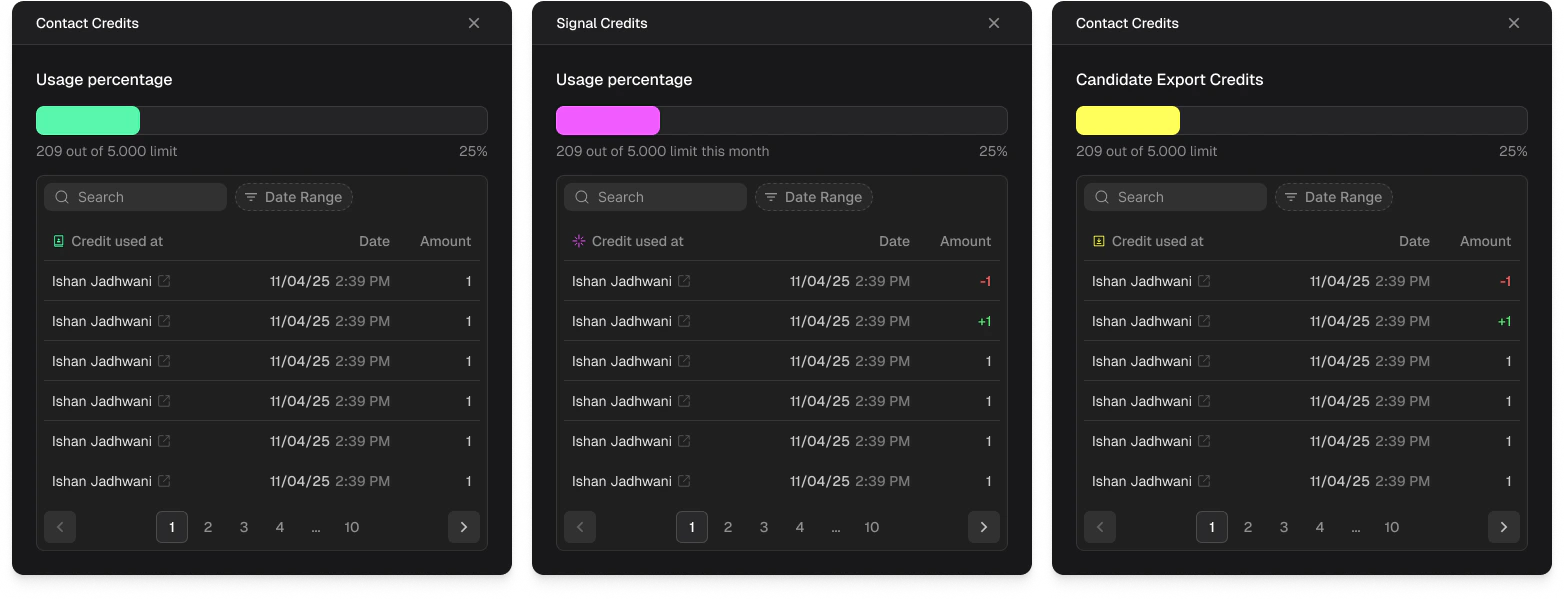
Detailed usage logs for Contact Credits, Signal Credits, and Candidate Export Credits showing who redeemed each credit and when.
Auto top-up
Enable Auto topup from the billing page to automatically purchase additional credits when your team runs low. This prevents interruptions during active sourcing campaigns.Purchasing additional credits
If you need more credits beyond your plan’s monthly allocation, click Add or Manage on the billing page. The Credits Add-on panel lets you purchase additional credit packs on top of your seat pool. Choose from preset amounts (+5k, +10k, +25k, +50k) or enter a custom amount. Add-ons are billed on your existing billing cycle (monthly or annually) and are applied immediately. You can also enter a Discount Code if you have one.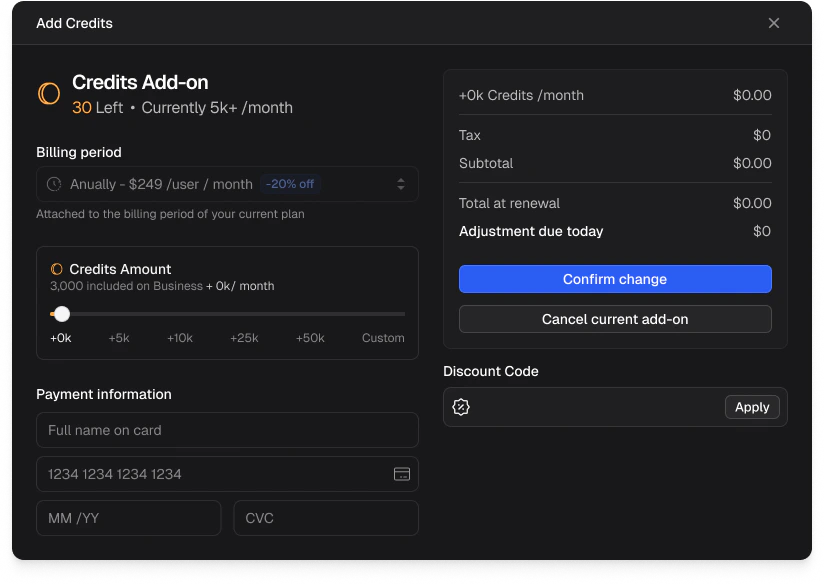
The Credits Add-on panel for purchasing additional credit packs with preset and custom amounts.
Frequently asked questions
Do unused credits roll over?
Do unused credits roll over?
No. Unused credits do not roll over. Any credits remaining at the end of your billing period will reset when your new allocation begins.
What happens if I run out of credits?
What happens if I run out of credits?
You can purchase additional credit packs at any time from the billing page, or enable Auto topup to avoid running out during active campaigns.
Will I be charged again for the same candidate?
Will I be charged again for the same candidate?
No. Once contact data or signals have been revealed for a candidate, that data is unlocked permanently for your organization. No additional credits are spent on the same candidate.
Can I get a refund on credits?
Can I get a refund on credits?
If a reveal returns no data, the credit is not charged. For other refund questions, contact support.